Snap a space.
See it transformed.
Stop trying to picture it. Snap any room, the garden or the front of your house and see your own space redesigned in about a minute. Know what it should cost, then get it built by verified local trades you’ve chatted with first.




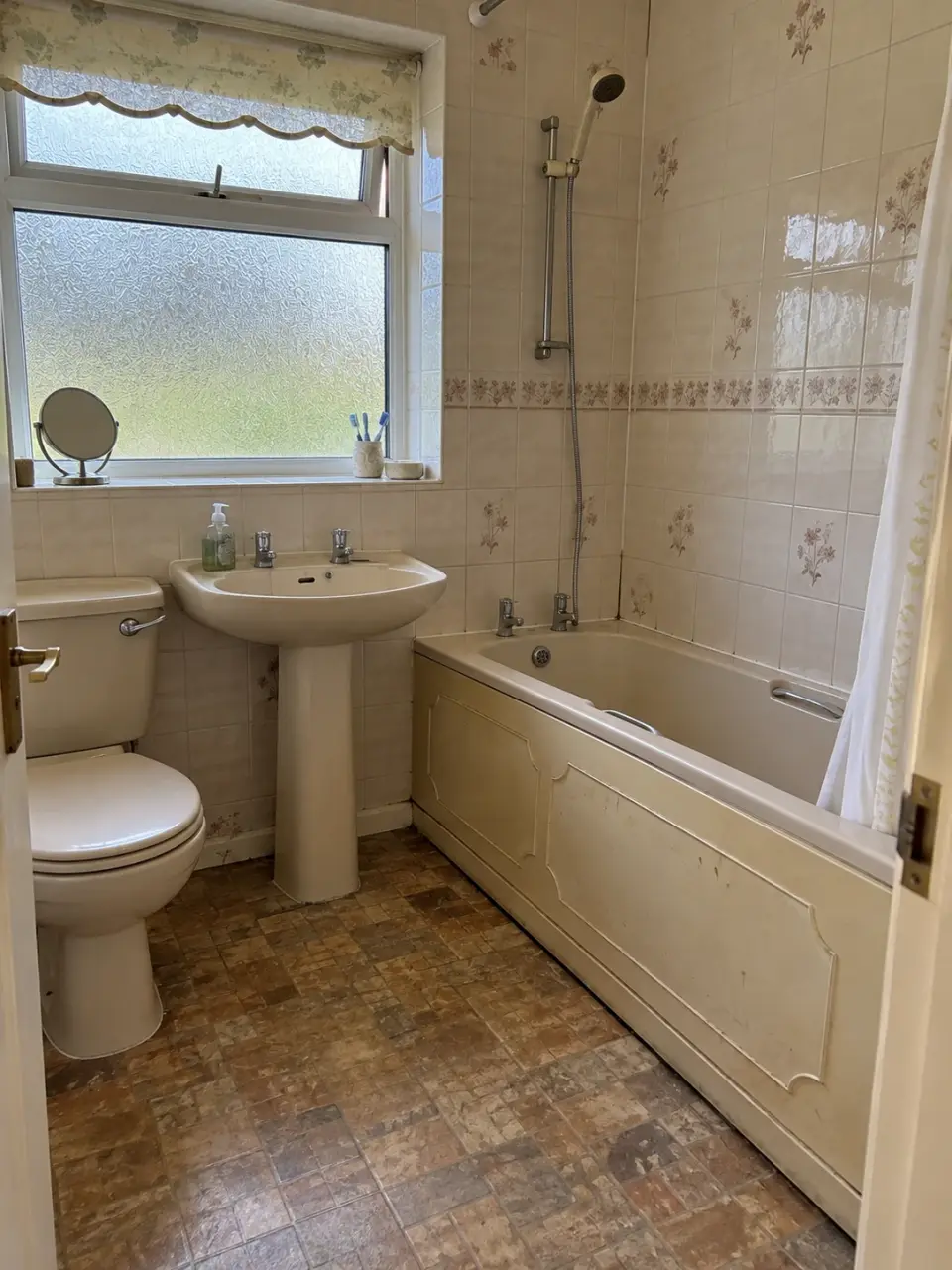
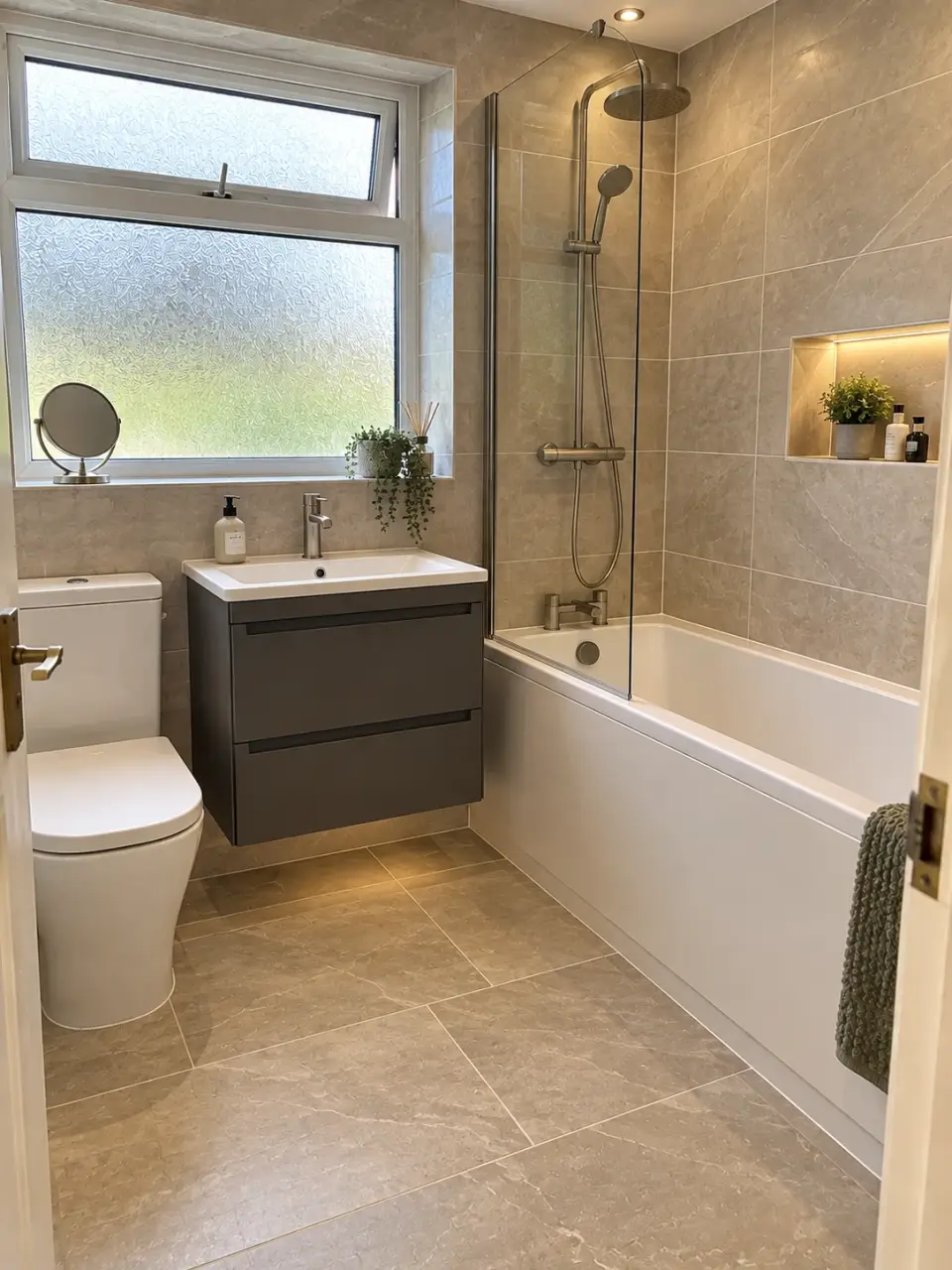






Renovating, without the guesswork.
See it first
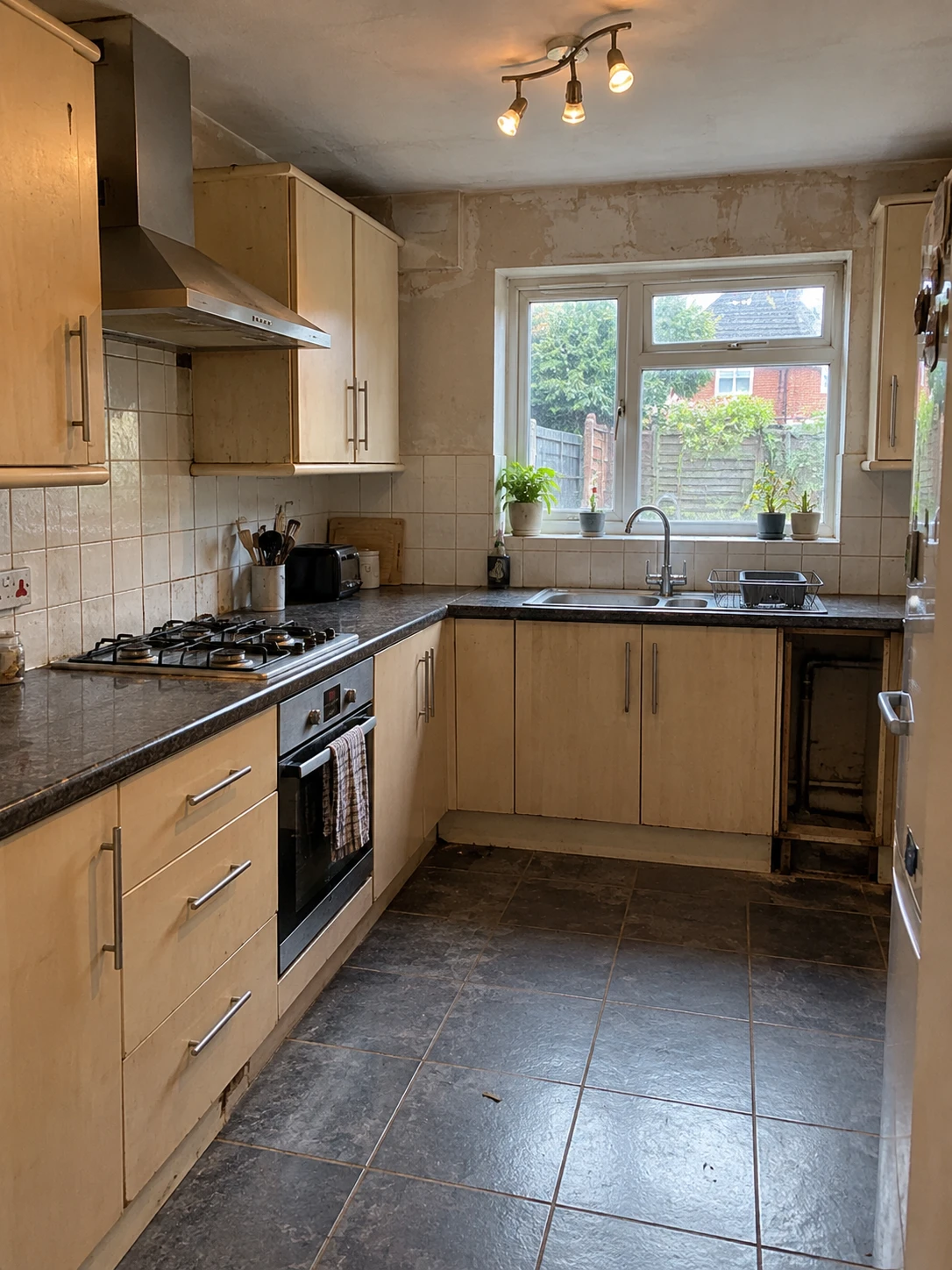
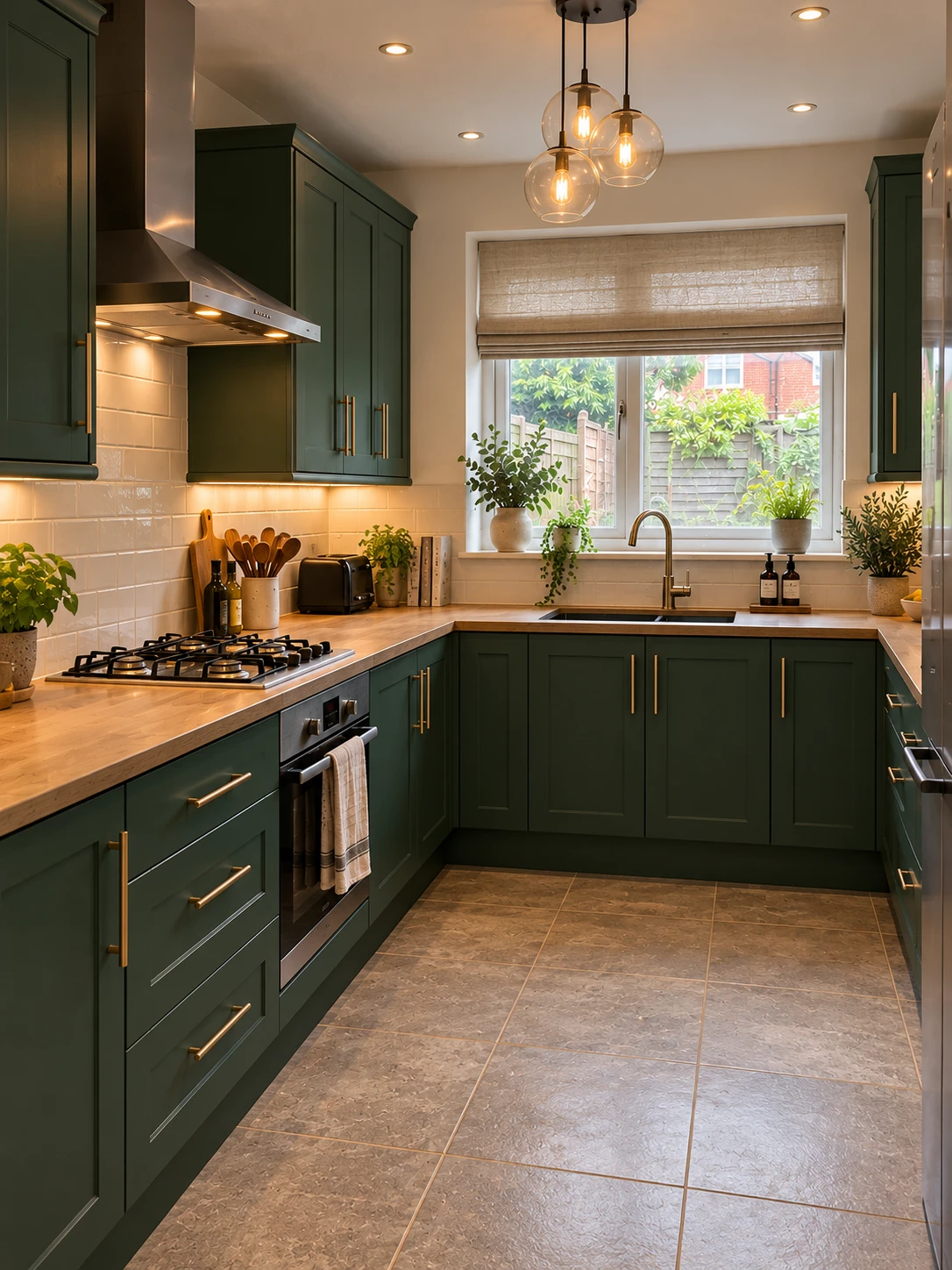
No mood boards, no squinting at brochures. See your own space finished, in different styles, before a single thing is touched.
Know the facts
No more nodding along to a number you can’t judge. Our estimates are tested against more than 1,600 real UK quotes, so you’ll know a fair quote the moment it lands.
Choose it together
Send your designs to the people who know you best and watch their votes roll in. Then go ahead knowing it’s the one.
Get it moving
When you’re ready, get matched with verified local trades who do exactly this kind of job. The keen ones put their hands up, and you pick the ones you like the look of. No ringing round, no chasing call-backs.
Your whole project, start to finish, in one app.
Just looking? Design as much as you like, or save it for later. No trades see your project until you say so.
Any space. Inside or out.
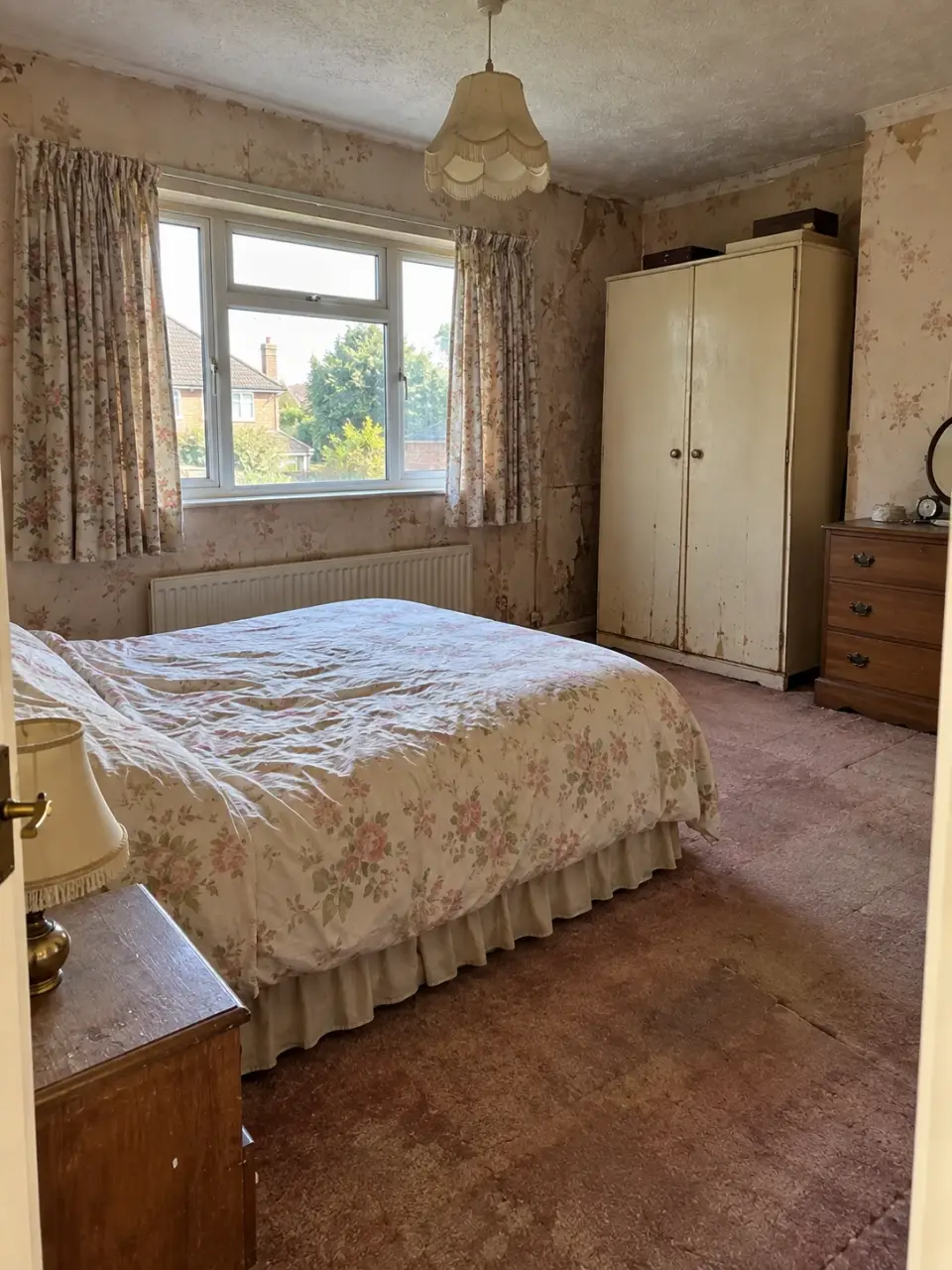
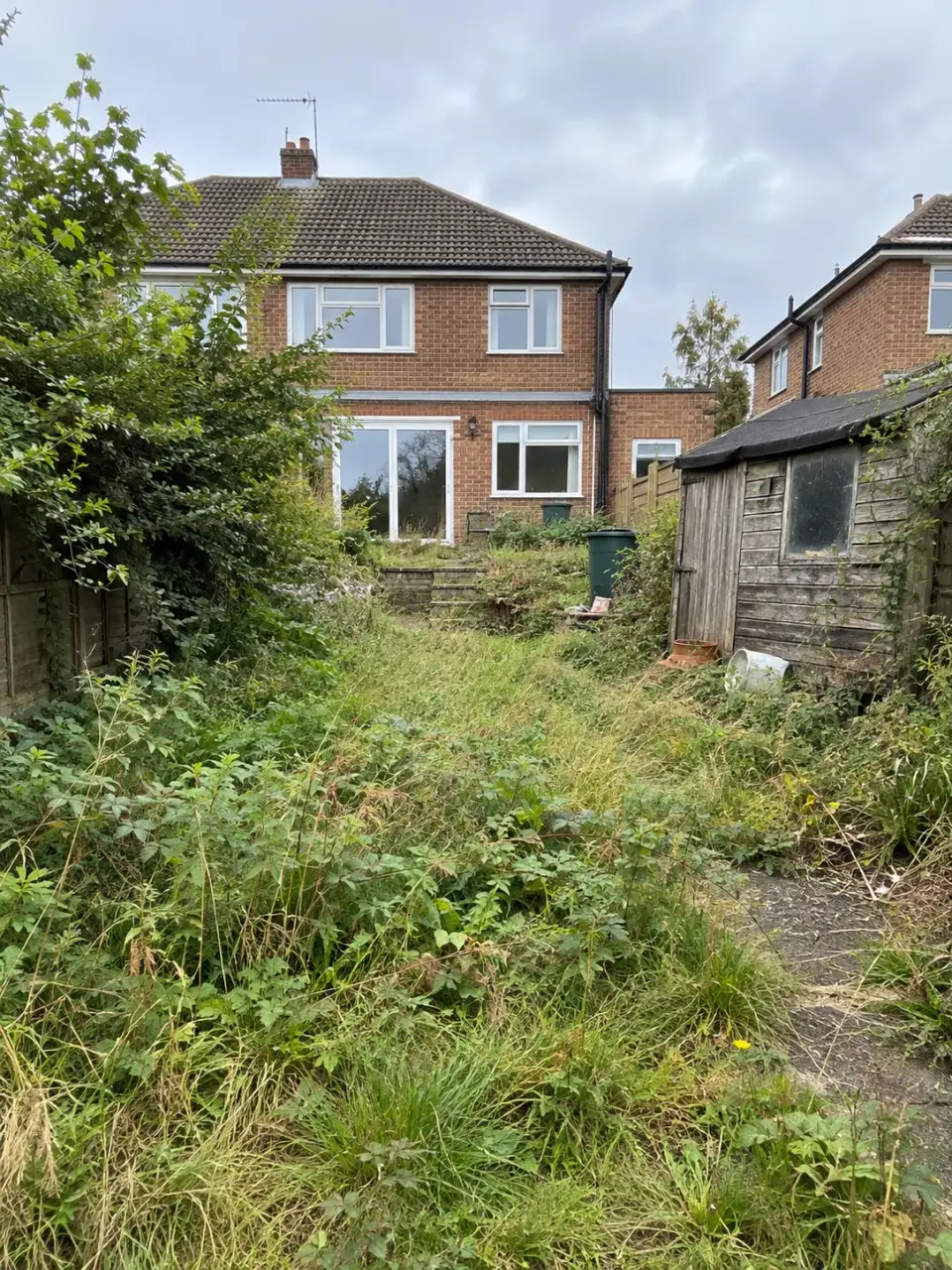
Kitchen, bathroom, bedroom, garden, the front of the house, even an extension over the garage. Point your phone and the app works out what it’s looking at, then asks what you’d like to change. No mood board needed.
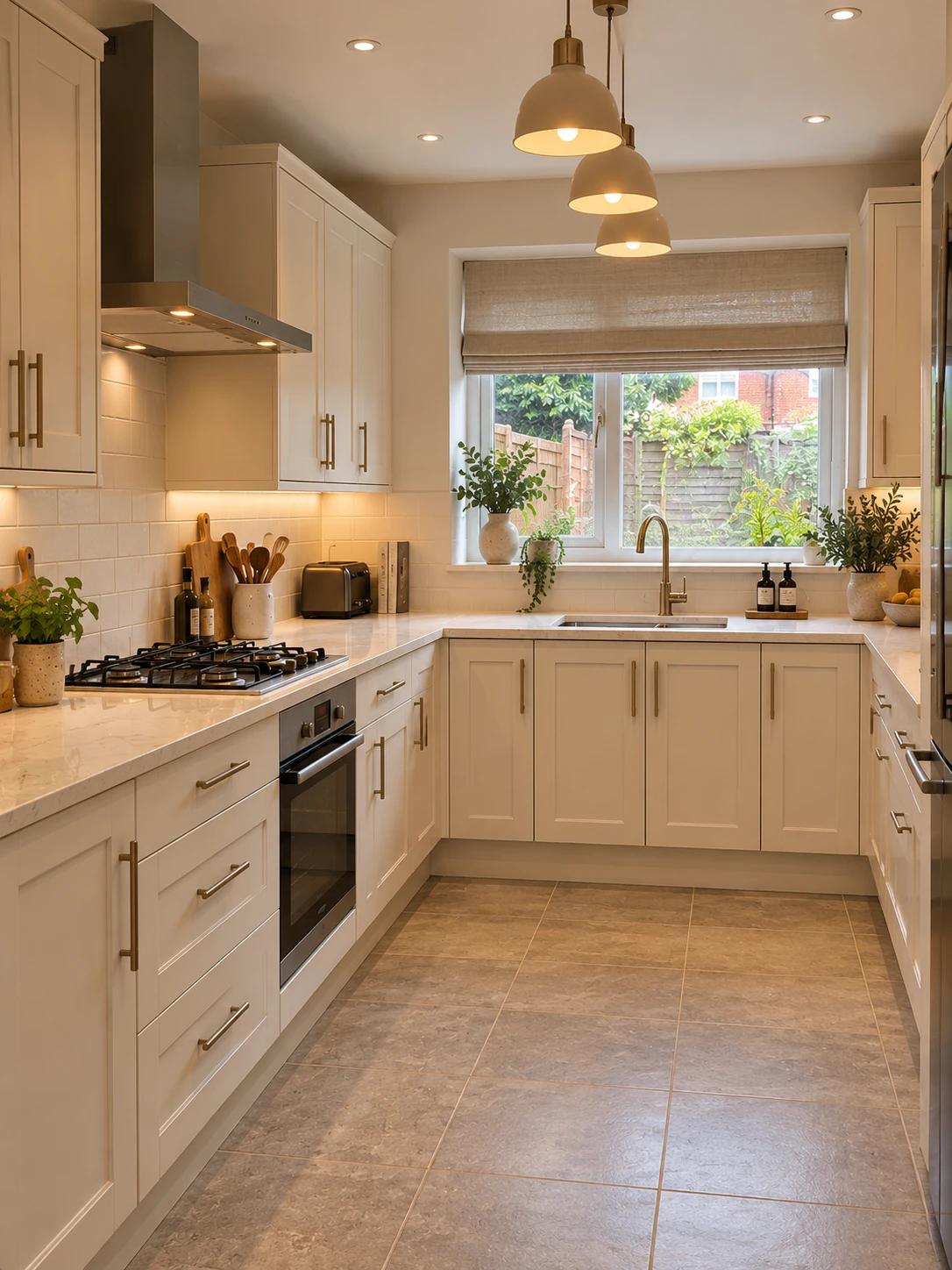 Kitchens
 Bathrooms
 Bedrooms
 Gardens
 Extensions
 Kerb appeal
 Windows
 Driveways
Every picture here was designed by , using AI.
See it finished before you spend a penny.
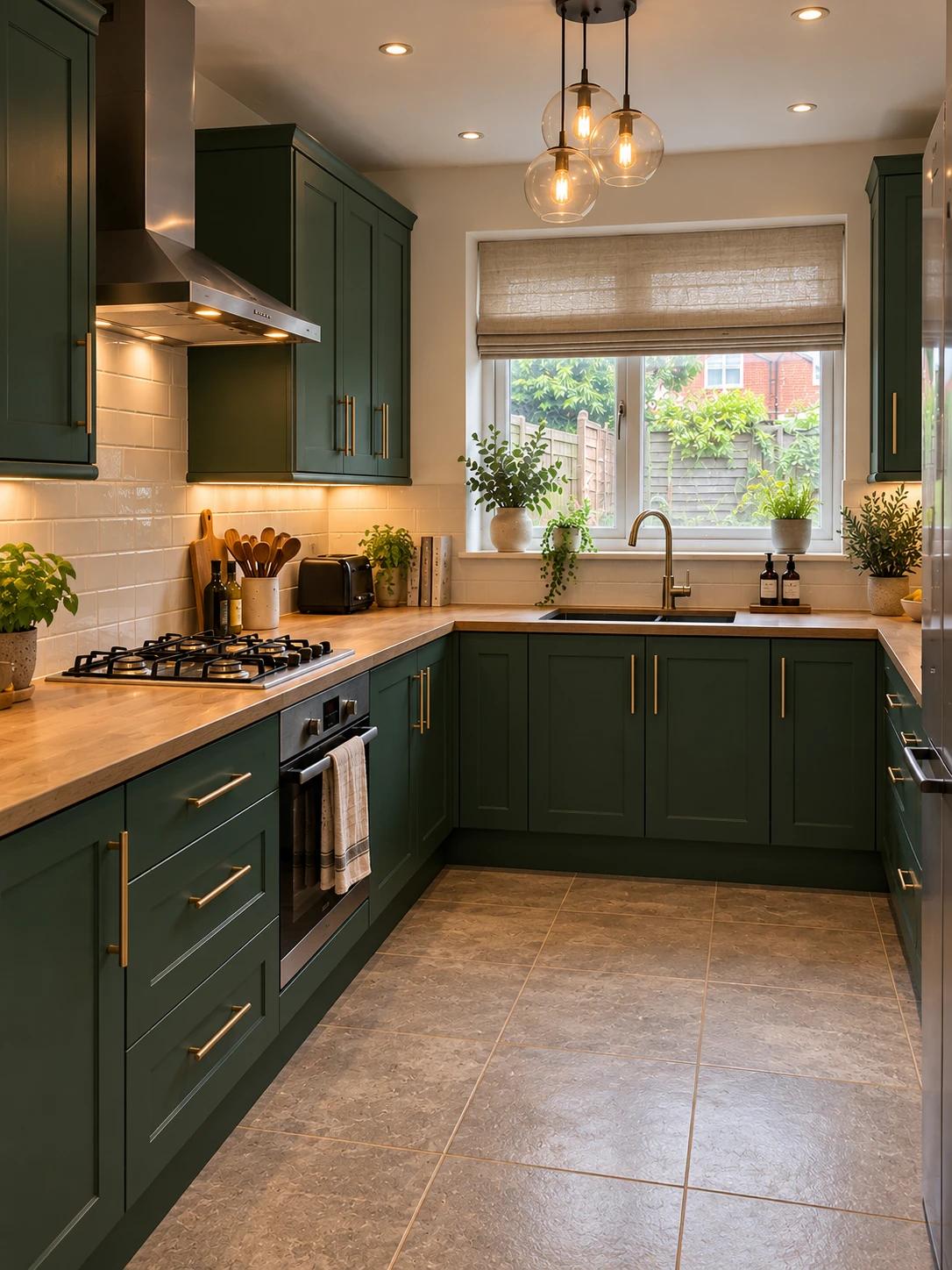
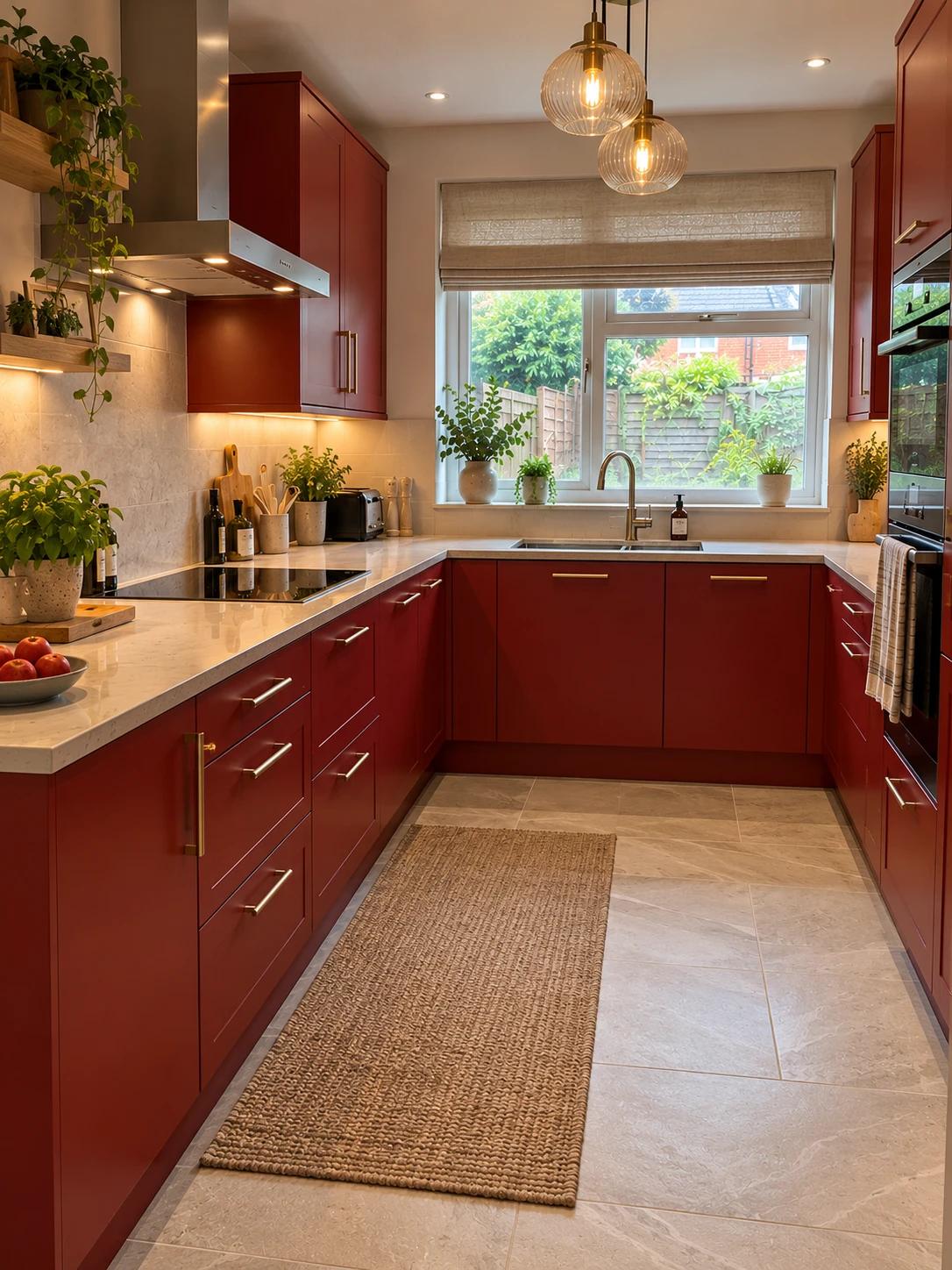
Your own room, redesigned: not a photo of someone else’s. Slide between before and after, try another style, or say what you’d change in your own words, like lighter worktops or keep the tiles. Every design gets its own name, so A, B and C are easy to compare.
- Your space, not a showroom
- Another design whenever you like
- Tweak it in your own words
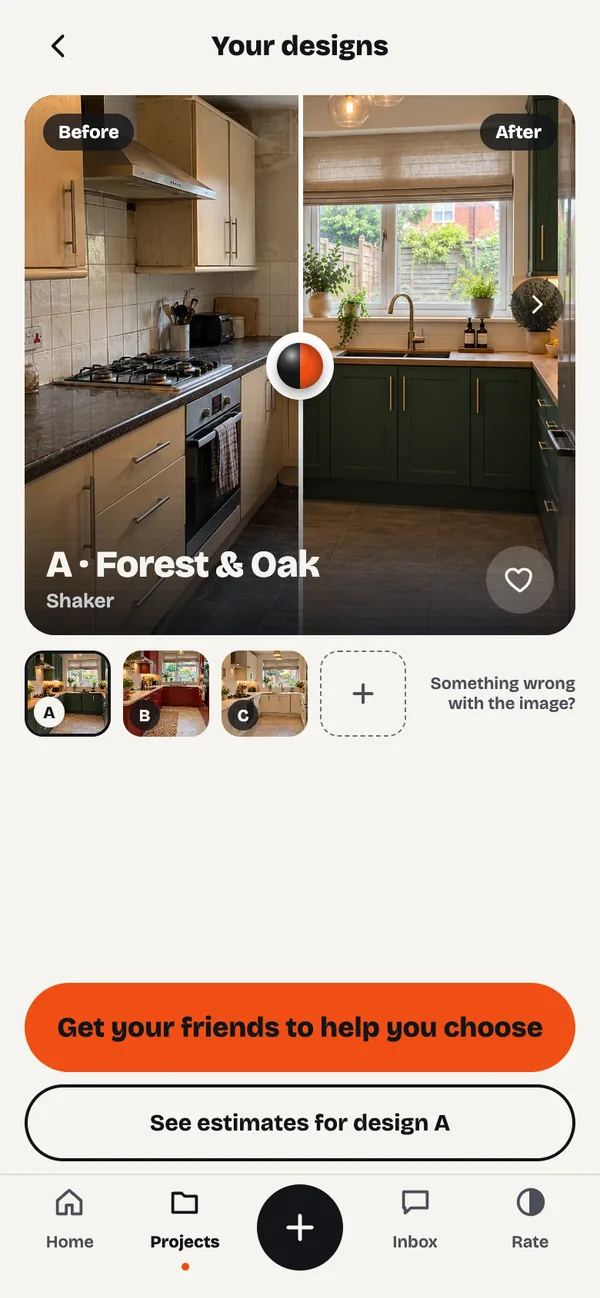 BeforeAfterA · Forest & OakShaker
- A · Forest & Oak
- B · Red & Stone
- C · Cream & Stone
A is winningCan’t decide? Let your friends vote.
Ask the people who know you best, on WhatsApp, Messages or anywhere. They vote from a link, no app needed, and you see the winner. Share a before and after video to your feeds too.
 Sophie Sophie voted for A
 Priya Priya voted for C
 Tom Tom voted for A
 Karen Karen voted for B
Know what it should cost before anyone comes round.
Every design comes with an estimate at three budgets: Good, Better and Best. They aren’t plucked from thin air: each job is researched against more than 380 published costs from across the UK, from trade bodies, cost guides and suppliers. Each estimate says exactly what it assumes, so when the quotes come in, you’ll know a fair one when you see it.
Kitchen refit
A typical semi’s kitchen, about 3.6 × 2.7 mNo more wondering who to call.
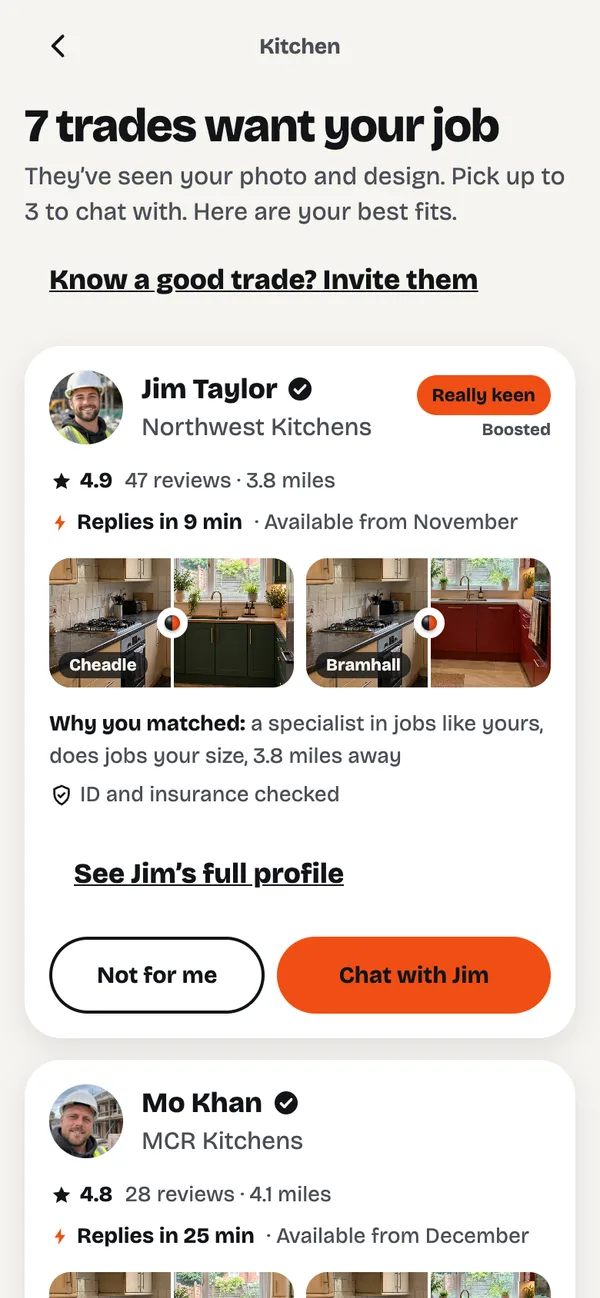
We put your job in front of the right local trades, and you decide who comes round.
- Matched to your jobLocal trades who do exactly this kind of work, at your size of job, get your photos, your design and the estimate.
- Only the keen ones replyNo cold calls. The trades who want it say so, with their reviews, past work and how quickly they reply.
- You choose, then chatPick up to three and message them in the app before anyone comes round. Your number stays private until you share it.
Verified before they hear about your job
We check every firm at Companies House, including at least two years’ trading history, and see proof of their insurance and any registrations the work needs. Only then do they hear about your job. Trades can also have their identity verified, so you can see who’s coming round.
- Limited company
- Trading 2+ years
- Insured
- Registered where needed
- Local to you
- Quotes explained against the estimateHigher or lower, you see why, line by line.
- Pay the trade directlyWe never hold your money. Pay as each stage is done.
- Your details aren’t soldTrades only support us when you’ve both said yes.
From the first visit to the finished room.
Everything in one place, from saying hello to the big reveal. Nothing lost in texts and voicemails.
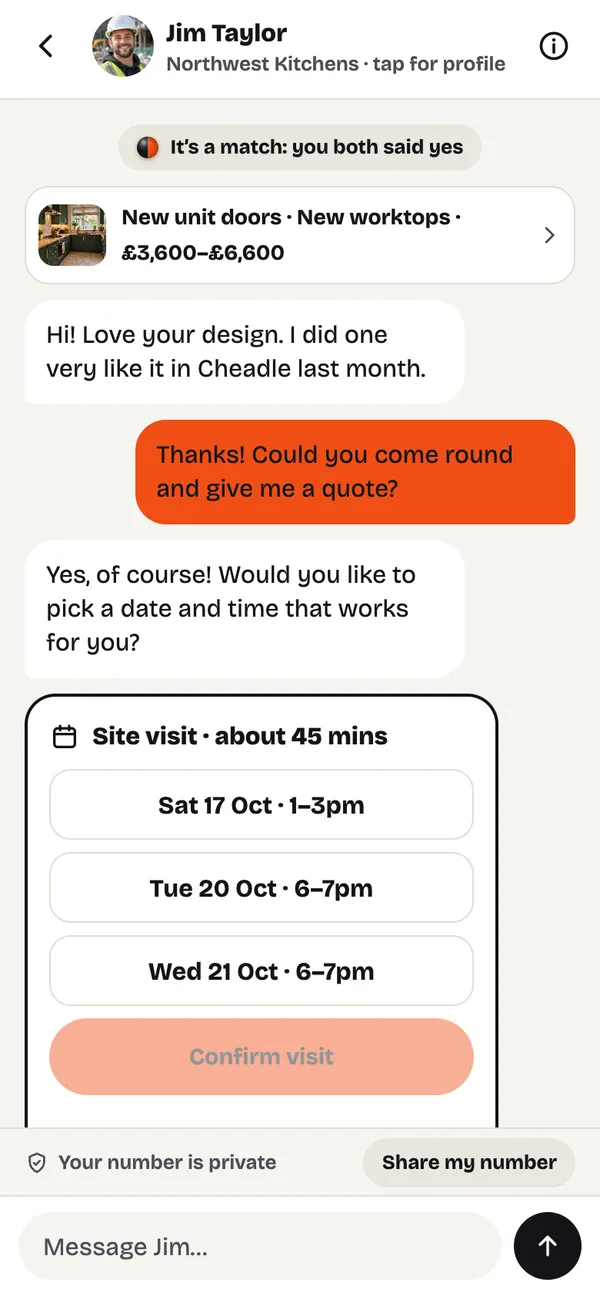
Say hello and book the visit
Chat in the app and pick a visit time that suits you. Your number stays private until you share it.
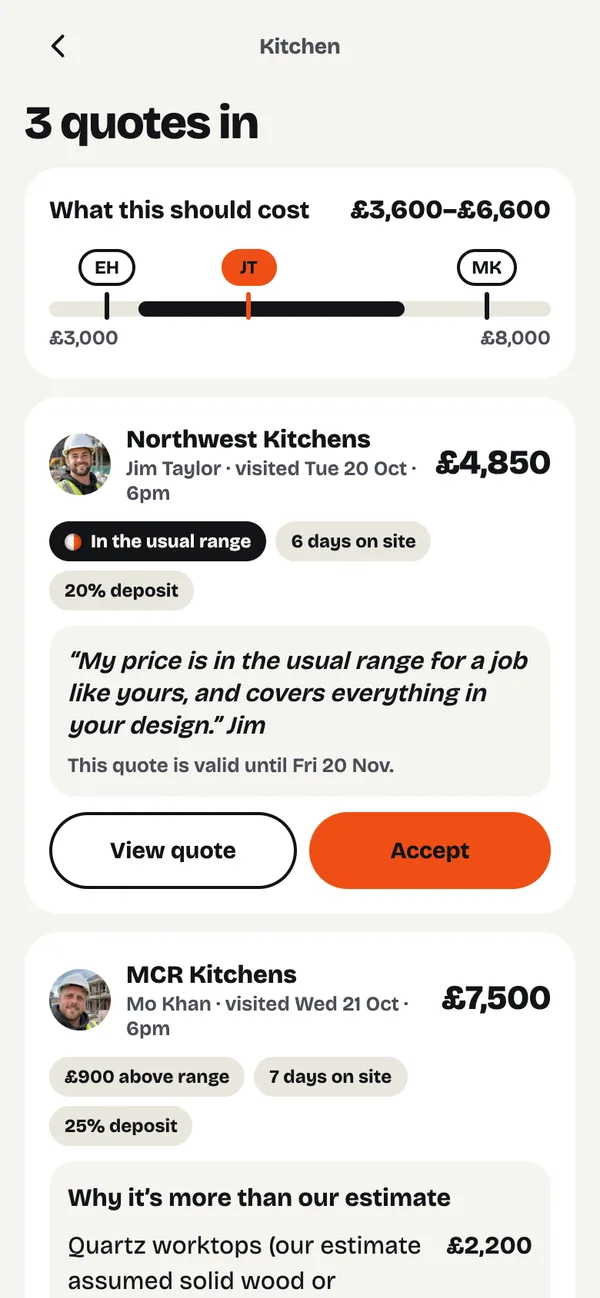
Compare quotes, explained
Each quote sits next to our estimate. If one’s higher, you see why, line by line, and the date it holds until. No countdowns, no pressure.
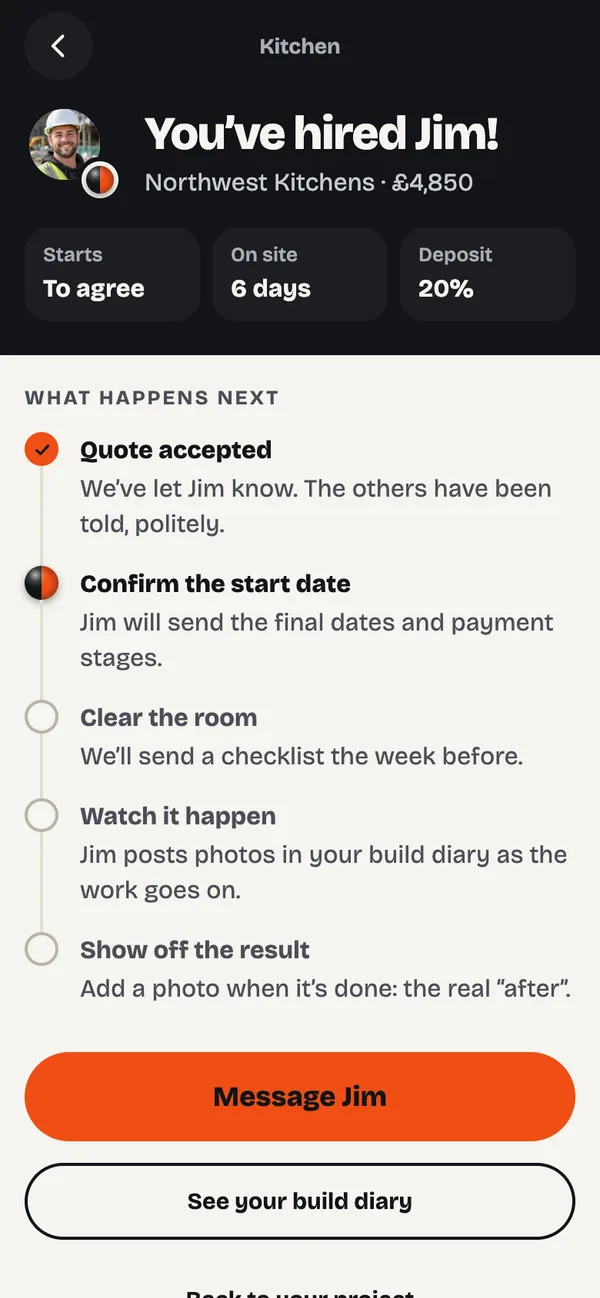
Accept the one you want
One tap to accept, and the others are told politely. You pay the trade directly, stage by stage. We never hold your money.
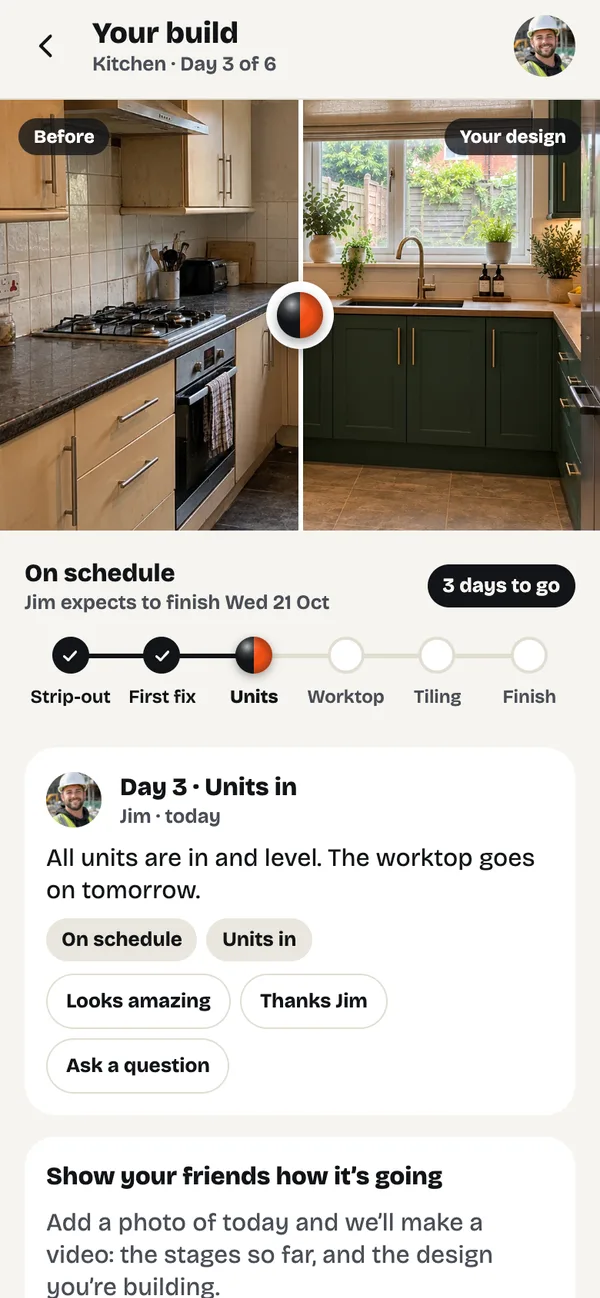
Follow the build
Your trade posts a photo and a line each day in your build diary, so you can see it come together wherever you are.
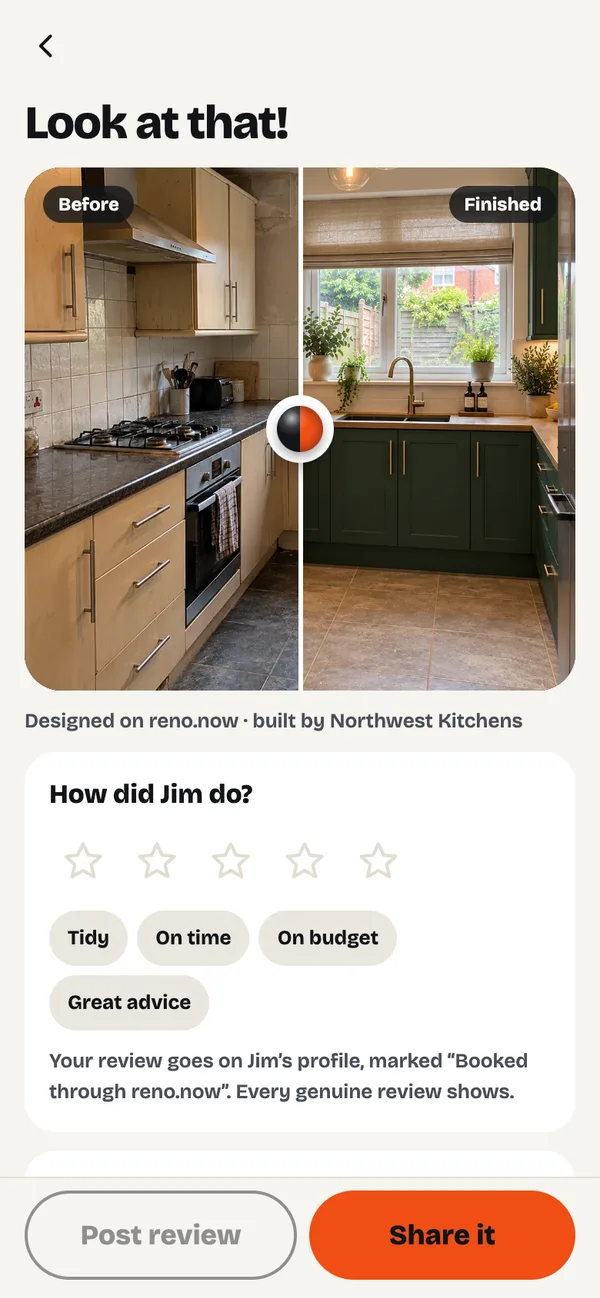
Show it off
Snap the finished room from the same spot for your before and after, share it, and leave a review for the next homeowner.
Your home,
transformed.
is coming soon to iPhone and Android.